- Home
- About
- Mission, Goals and Values
- Board of Directors
- Committees and Work Groups
- Executive Committee
- Standards and Training Committee
- Outreach and Membership Committee
- Policy, Education, Research Committee
- Finance Committee
- Organizational Development Committee
- Nominating Committee
- National Ethics and Standards Work Group
- Home For Trainers Webinar Work Group
- Languages of Limited Diffusion Work Group
- Congress Planning Work Group
- NCIHC On The Road Work Group
- Social Media Work Group
- Policy Work Group
- Education Work Group
- Research Work Group
- Journal Work Group
- Donate to NCIHC
- Founders Wall
- Our Language Access Champions
- NCIHC History
- Volunteer for NCIHC
- FAQ - NCIHC Information
- temp
- Membership
- Ethics & Standards
- Resources
- Training and Events
- NCIHC Publications
- Other Resources
- Archives
|
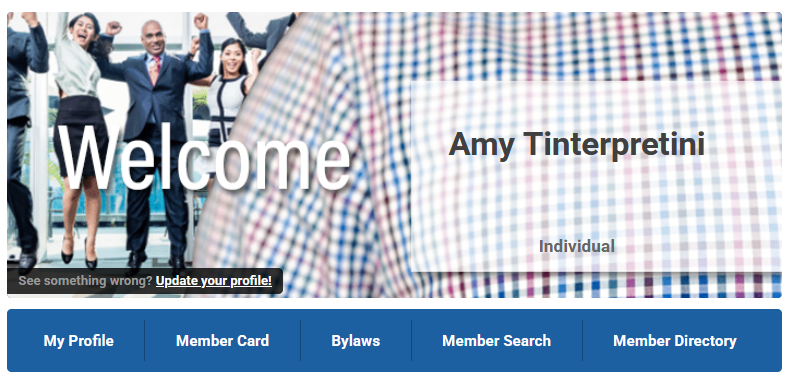
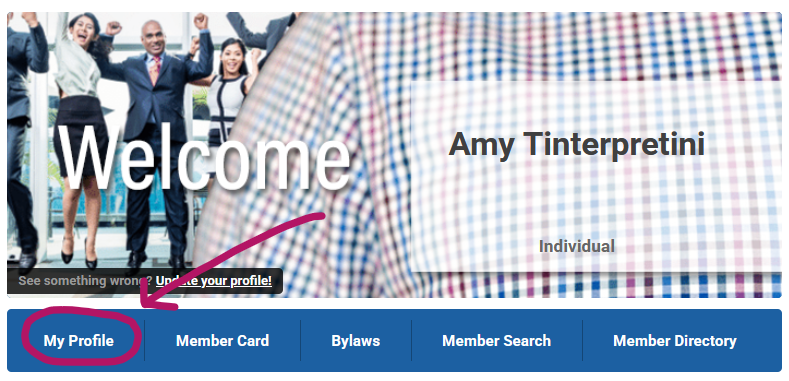
How do I log in to my membership account and access my profile?
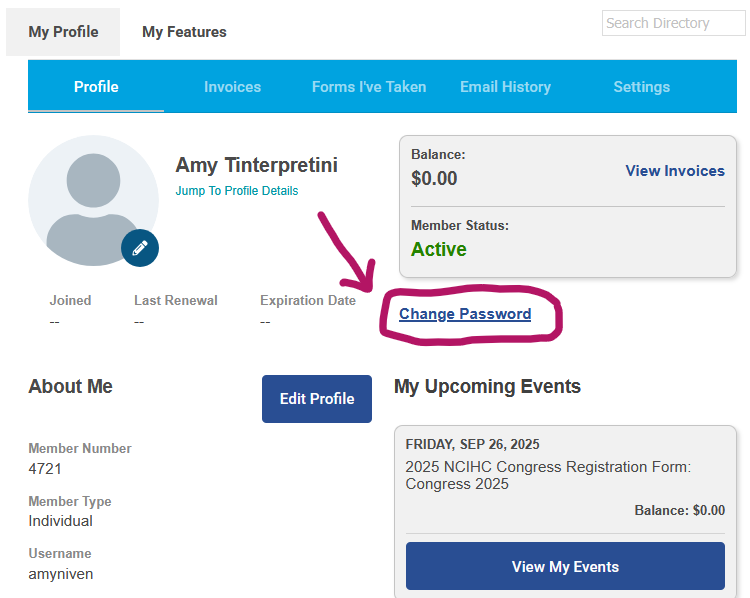
How do I change my password? 1. Be sure you are logged in to your NCIHC account and have accessed your member profile (see directions above).
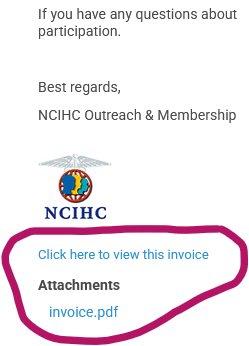
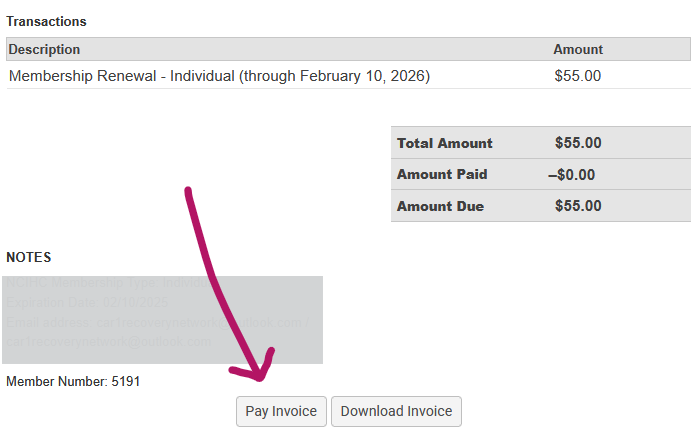
How do I renew my membership? 1. Go to the email you received from NCIHC
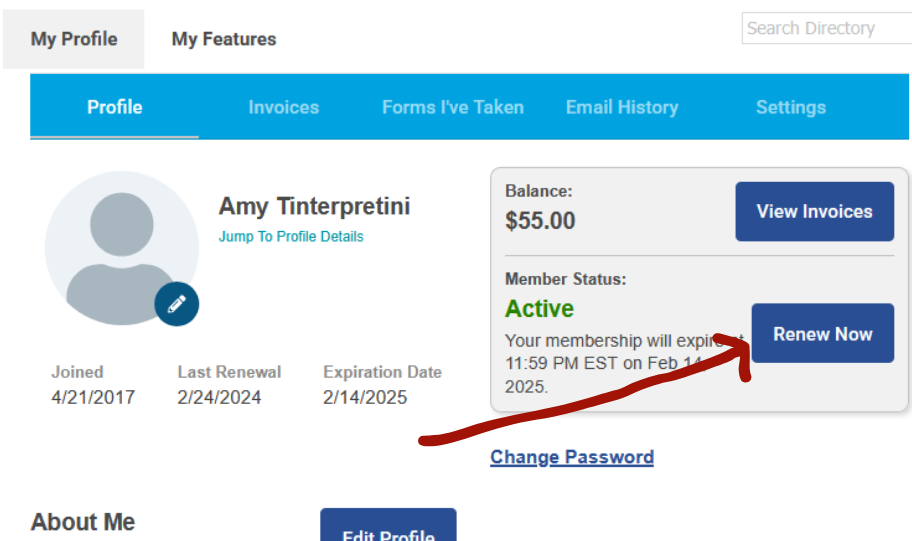
Renew membership from my NCIHC Profile account 1. Log in to your NCIHC member account and click on the "My Profile" button. (see directions above)
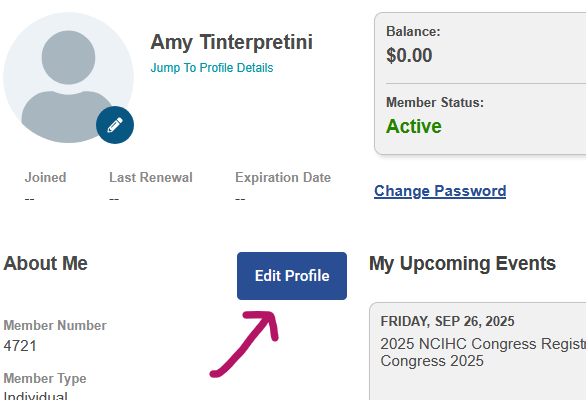
3. Click submit. Is auto-renewal available for my membership payment? Members have the option to renew their accounts themselves or to keep a credit card on file so that their membership fee is automatically billed each year. Credit card information is stored in the payment processor, not the membership software. Once a member enrolls in auto-renewal payments, they will be charged membership dues automatically on their next expiration date. Click here for a guide to help you navigate the form during your renewal process. Why am I not receiving emails from NCIHC? All NCIHC communications are sent to the email listed in your member profile. Verify the email listed in your account by logging in to your profile and reviewing what is listed. If the email listed is incorrect, then click on the Edit Profile button, scroll down to update the email address and click Save.
Where can I find the receipt for my payment? All payments made to NCIHC on this website will be followed up with a confirmation email. This email will act as your receipt and will contain your payment information. If you have not received your payment confirmation email, check your spam or junk mail folder. If you are unable to find the email, contact the NCIHC Admin at [email protected] for further assistance. How do I access the NCIHC Community Forum? NCIHC Listserv has been replaced by the NCIHC Community Forum. 1. Bookmark this link: https://community.ncihc.org/ 2. If using a phone, download app “Discourse Hub”, then add “community.ncihc.org” as your community. 3. For more details, see our Quick-Start Guide and Community Guidelines. How do I access the free webinars? All of the NCIHC webinars can be found in the NCIHC Learning Center on our website. Review the catalog of webinars and choose your selection. Find the register link and fill out the form. You will need to log in (or create an account if this is your first time visiting our Learning Center) to view the recorded webinar. Webinars are free for active NCIHC members. If you are a member and are logged in, but the registration form is asking you to pay $30, then there may be an issue with your login or your membership. Contact the NCIHC Administrative Assistant for further help by emailing [email protected]. Click here to go to the NCIHC Learning Center. How do I volunteer for NCIHC? If you would like to seek volunteer opportunities with the National Council on Interpreting in Health Care, you should consider volunteering for one of our many committees or work groups. First, you must be an active member of NCIHC. Next, you will need to fill out the volunteer application. Click here to access the NCIHC volunteer application. If you are still having issues? If you are still having issues and require assistance, please reach out to our Administrative Assistant. Email: [email protected] Someone will get back to you as soon as possible.
|

Our Diamond Sponsor